
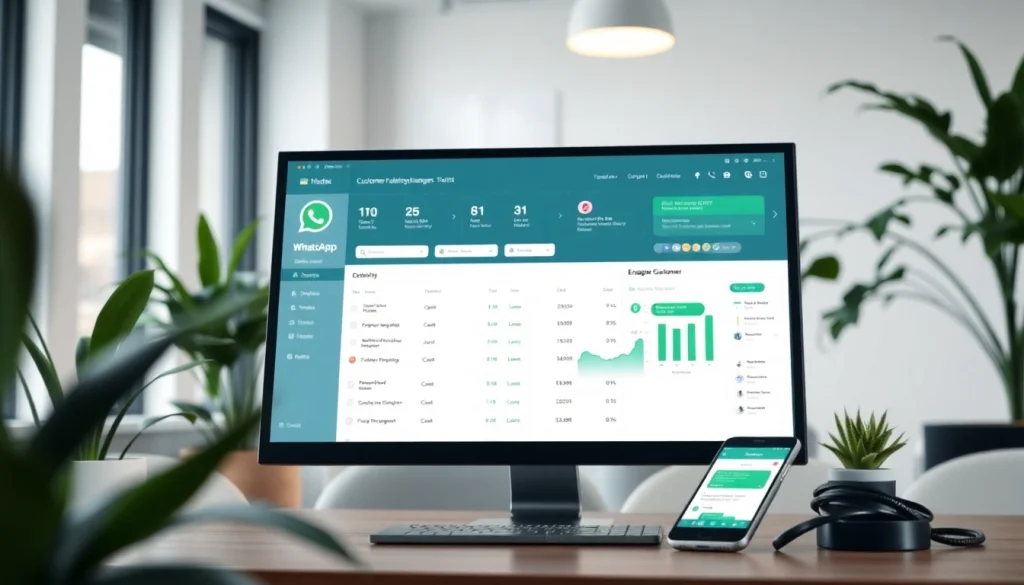
Understanding the Role of CRM in WhatsApp Communication
In an increasingly digital world, businesses are always looking for ways to enhance their communication with customers. One of the most effective tools in this regard is the integration of Customer Relationship Management (CRM) systems with messaging platforms like WhatsApp. In this comprehensive guide, we’ll explore What is a CRM for WhatsApp, its purpose, features, and the immense benefits it holds for businesses aiming to strengthen customer relations.
Definition and Purpose
A CRM for WhatsApp essentially represents a technology framework that facilitates the management of customer interactions through WhatsApp, a widely used messaging application. Its main purpose is to streamline communication between businesses and their customers by integrating WhatsApp messages directly into their CRM system. This integration allows businesses to store conversation histories, track customer preferences, and manage inquiries in a centralized way.
Key Features of WhatsApp CRM
When assessing CRMs for WhatsApp, several key features must be considered:
- WhatsApp Business API Integration: This enables businesses to send and receive messages, notifications, and automated replies seamlessly through the WhatsApp platform.
- Centralized Customer Data: All customer interactions can be logged in a single place, which helps in understanding customer behavior and preferences.
- Automated Messaging: Businesses can set up automatic responses for frequently asked questions, appointment confirmations, or product inquiries.
- Analytics and Reporting: A robust WhatsApp CRM will provide insights into customer interactions and engagement rates, helping businesses analyze what is working and where improvements can be made.
- Multi-Agent Support: This feature allows multiple team members to handle customer queries without losing track of ongoing conversations, ensuring a collaborative approach to customer service.
Benefits for Businesses
The incorporation of WhatsApp into a CRM system offers several advantages:
- Improved Customer Engagement: Direct and instant communication through WhatsApp fosters stronger relationships between businesses and their customers.
- Efficiency in Operations: Automating responses and organizing inquiries can significantly streamline customer service operations.
- Enhanced Customer Insights: By analyzing interactions, businesses can identify trends, preferences, and issues that require attention.
- Increased Sales Opportunities: With targeted messaging and follow-ups enabled through the CRM, businesses can improve conversion rates.
- Cost-Effective Communication: Using WhatsApp as a communication channel reduces operational costs traditionally associated with other communication methods.
How Does a CRM for WhatsApp Work?
Integration with WhatsApp Business API
The foundation of a CRM for WhatsApp lies in the integration with the WhatsApp Business API. This API allows businesses to connect their CRM systems to WhatsApp, enabling data transfer seamlessly. The integration facilitates the automation of messages, allowing businesses to maintain consistent communication without requiring a manual effort for each interaction.
Data Management and Customer Insights
Once integrated, the CRM for WhatsApp begins to gather and manage data from customer interactions. Each message exchanged is recorded within the CRM system. This data can include customer inquiries, responses, feedback, and purchase histories. When analyzed, these insights provide businesses with valuable information, allowing for personalized outreach and targeted marketing strategies.
User Interaction Workflow
A well-structured user interaction workflow is essential for maximizing the benefits of a CRM for WhatsApp. Typically, the workflow may include:
- Initial Contact: A customer reaches out via WhatsApp to inquire about products or services.
- Automatic Acknowledgment: An automated greeting or acknowledgment message is sent to confirm receipt of the inquiry.
- Agent Assignment: The CRM assigns the inquiry to a relevant team member based on predefined rules.
- Response Handling: The assigned team member reviews the inquiry and responds directly via WhatsApp, ensuring all communication is logged within the CRM.
- Follow-Up: After a successful interaction, follow-up messages can be automated to ensure customer satisfaction and encourage future engagement.
Choosing the Right CRM for WhatsApp
Evaluating Your Business Needs
Before selecting a CRM for WhatsApp, it is vital to assess your business’s unique needs. Consider factors such as the volume of messages you anticipate receiving, the complexity of your customer relationships, and your team’s ability to manage and analyze data. A comprehensive evaluation will help pinpoint a CRM solution that aligns with your operational requirements and goals.
Feature Comparison
When exploring different CRM solutions for WhatsApp, it’s crucial to compare features critically. Some specific attributes to evaluate include:
- Integration capabilities with existing tools and platforms.
- Customization options for reporting and dashboards.
- Scalability to accommodate future growth.
- Quality of customer support and service offered by the CRM provider.
Pricing Models and Considerations
Pricing models will vary significantly across different CRM providers. Some may offer subscription-based pricing, while others use a one-time licensing fee system. It is essential to understand not just the base pricing but also any additional costs related to setup, training, or support services. Establishing a clear budget while considering the ROI is crucial in this step.
Best Practices for Implementing a CRM for WhatsApp
Setting Up Your System
Implementing a CRM for WhatsApp involves multiple steps that need careful planning:
- Define Objectives: Establish clear goals you want the CRM to achieve, such as improved response times or enhanced customer interactions.
- Choose Your CRM: Based on previous evaluations and comparisons, select a CRM that fits your business’s needs.
- Integration Setup: Work with technical teams to ensure a smooth integration of WhatsApp Business API with your chosen CRM.
- Customize Workflows: Tailor workflows based on customer interaction styles and team capabilities.
Ensuring Data Security
Data security must be a priority during the CRM setup process. Some best practices include:
- Implementing encryption for data transmission.
- Setting strong access controls and user permissions.
- Regularly updating software to patch vulnerabilities.
Training Your Team
Finally, training is vital to ensuring that your team is equipped to utilize the CRM effectively. Consider the following steps:
- Develop training programs focusing on system usage and customer interaction best practices.
- Encourage feedback to improve the training process continually.
- Provide ongoing support to deal with any technical challenges that emerge after the CRM’s implementation.
Measuring Success with a CRM for WhatsApp
Key Performance Indicators (KPIs)
To gauge the success of your CRM for WhatsApp, establish clear Key Performance Indicators (KPIs) such as:
- Response Time: Measure how quickly agents respond to customer inquiries.
- Customer Satisfaction Score: Use surveys to gauge customer satisfaction with interactions.
- Engagement Rate: Track how many customers engage in follow-up conversations or repeat inquiries.
Analyzing Customer Engagement
To extract meaningful insights, leverage the analytical capabilities of your CRM to track customer engagement patterns. Analyzing metrics such as message response rates, peak engagement times, and drop-off points can help refine your communication strategies and customer touchpoints.
Continuous Improvement Strategies
Continuous improvement within CRM for WhatsApp practices can ensure long-term success. Consider implementing:
- Regular training updates to adapt to changing technologies or customer expectations.
- Systematic reviews of CRM performance and strategic pivots based on data insights.
- A feedback loop where customer insights are used to refine product offerings and service quality.
Establishing a CRM for WhatsApp can significantly transform customer interactions and business communication strategies, helping organizations to stay ahead in a competitive market. By integrating effective practices, understanding key metrics, and adapting to customer needs, businesses can enhance their capabilities to achieve lasting success.